
China thermal receipt printer with competitive price manufacturers
MINJCODE has been closely collaborating with retailers for many years, which is why we understand the importance of your sales requirements and thermal receipt printing needs. We can meet your demands, whether you need a fast printer, a quiet printer, or a printer that can be neatly placed under the counter.
The MJ series of POS thermal receipt printers can be used for various retail applications, including printing receipts, tickets, invoices, data records, or barcode labels. The receipt printer series can even be used for information kiosks in maps and web applications! Some receipt printers even offer USB, Bluetooth, Ethernet, or WiFi interfaces (optional).
Receipt Printer - Make Printing Easier - Thermal /Kitchen Printer | ISO-9001:2015 and POS Terminal Manufacturer | Huizhou Minjie Technology Co.Ltd
MINJCODE factory video
Huizhou Minjcode Technology Co., Ltd., based in China since 2011, specializes in manufacturing barcode scanners, printers, and POS machines. Our range of products includes receipt printers, label printers, POS systems, and barcode scanners, catering to various POS application needs. Certified with ISO-9001:2015 and compliant with CE and FCC standards, we offer comprehensive POS solutions, pre-sales consultation, technical support, training, and customized ODM and OEM services. With a dedicated team focused on POS hardware technology, we strive to provide high-quality products and meet customer needs with advanced technology and over 14 years of experience. Explore our premium products such as POS terminal hardware, receipt printers, label printers, barcode scanners, and cash drawers, and contact us for more information.
Are you looking for reliable receipt printers to upgrade your point of sale (POS) system?
MINJCODE is your ideal choice, offering a wide range of high-quality top-of-the-line receipt printers. Our thermal printers use innovative technology that utilizes heat to efficiently produce crisp, durable receipts.
MINJCODE's receipt printers are durable and perfect for a variety of retail and brick-and-mortar shops. They excel in their unrivaled versatility to meet the unique needs of different industries. From fast-paced restaurants and efficient banks to organized hotels and global airlines, our receipt printers are used in a wide range of applications. By deploying MINJCODE thermal printer machine, you can dramatically reduce queue times, speed up the checkout process, and provide your customers with a seamless, efficient experience. Additionally, our receipt printers are known for their compact design, maximizing utility without compromising on powerful functionality. Regardless of your available space, our printers are available in a variety of sizes to easily fit into any environment.
At MINJCODE, we back our thermal bill printer with a comprehensive warranty, ensuring that your investment is protected for the long term. Two key benefits of our receipt printers are their excellent compatibility and connectivity. Their seamless integration with third-party POS systems makes them highly versatile. Our shop offers receipt printers with a variety of interfaces such as Bluetooth, USB, and Wi-Fi to meet your specific needs. If you are looking for a reliable solution to your unique receipt printing needs, contact MINJCODE today!
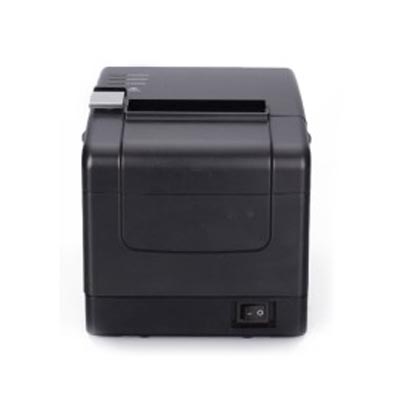
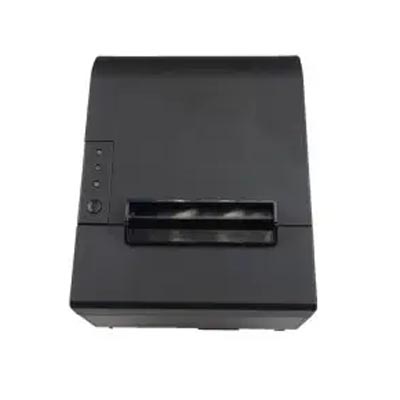
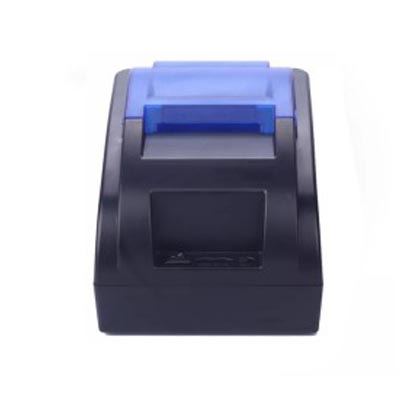
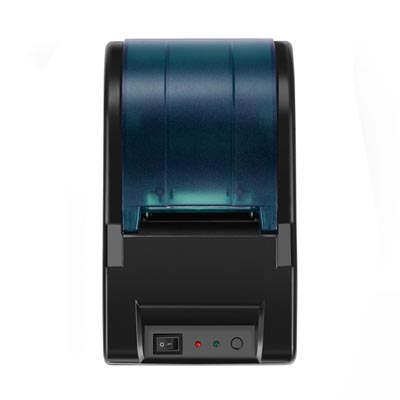
Hot Models

|
Printing Method
|
Thermal Line Printing
|
|
Printing Speed
|
Up to 60mm/sec (Printing smoothly, Won't stuck paper)
|
|
Resolution
|
8dots/mm (203dpi)
|
|
Paper Width
|
57±0.5mm (φ40mm thermal paper)
|
|
Paper Type
|
Thermal Roll Paper
|
|
Interface
|
Wireless and USB
|
|
Battery
|
1800mAh (Rechargeable Lithium Battery)
|
|
Compatible
|
ESC/POS Print Commands Set,Windows2000/XP/2003/Visa/7/8/10, Android, IOS
|
|
(Cannot work on Mac System,Square,Paypal)
|
|
|
Warantty
|
12 MONTHS
|

|
Printing Method
|
Thermal Printing
|
|
Print Speed
|
90mm/sec
|
|
Reliability TPH Life
|
50KM
|
|
Battery
|
Rechargeable lithium batteries:5V/1500mAh
|
|
Interfaces
|
USB+Blue tooth
|
|
Print Command
|
Compatible with ESC / POS print instruction set
|
|
Dimension
|
50mm*80mm*98mm
|
|
Net Weight
|
250g
|

| Print Speed | 80mm/sec |
| Reliability TPH Life | 50KM |
| Resolution | 203DPI(8dot/mm) |
| Printing Width | 48mm |
| Paper With | 57±1.0mm |
| Battery | Rechargeable lithium batteries:7.4V/1500mAh |
| Interfaces | USB, USB virtual serial port, RS232, KBW |
| Print Command | Compatible ESC/POS/STAR command |
| Dimension | 115mm*84mm*46mm |
| Net Weight | 120g |
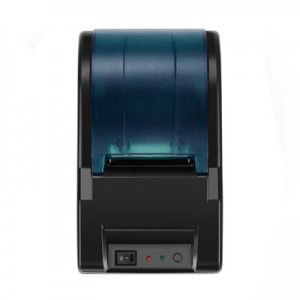
| Reliability TPH Life | 50KM(print density≤12.5) |
| Printing Method | Direct thermal line printing |
| Printing Width | 48mm |
| Paper With | 57.5±0.5mm |
| Power Adaptor | AC 100V-240V,50-60Hz Output:DC 12V/2A |
| Interface | USB |
| Barcode | UPC-A / UPC-E/ JAN13(EAN13) /JAN8(EAN8)CODE39 /ITF /CODABAR /CODE93 /CODE128 |
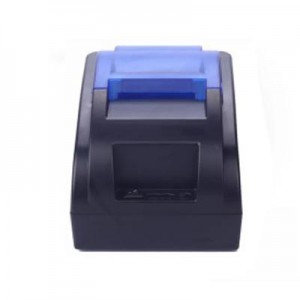
|
Print Head Life
|
50KM(print density≤12.5)
|
|
Printing Method
|
Thermal Line
|
|
Printing Width
|
48mm
|
|
Paper With
|
57.5±0.5mm
|
|
Power Adaptor
|
Input:AC 100V-240V,50-60Hz Output:DC 12V/2A
|
|
Interface
|
USB, Blue tooth(optional)
|
|
Barcode
|
UPC-A / UPC-E/ JAN13(EAN13) /JAN8(EAN8)CODE39 /ITF /CODABAR /CODE93 /CODE128
|
|
Print Command
|
ESC/POS
|

|
Print Head Life
|
150KM(print density≤12.5)
|
|
Cutter Life
|
1500,000times
|
|
Printing Width
|
72mm
|
|
Paper With
|
79.5±0.5mm
|
|
Power Adaptor
|
Input:AC 100V-240V,50-60Hz;Output:DC 24V/2.5A
|
|
Interface
|
USB, USB+LAN, USB+LAN+RS232,BT+USB,USB+LAN+wifi,USB+LAN+RS232+BT+Wifi optional
|
|
Barcode
|
1D bar code:UPC-A/UPC-E/JAN13(EAN13)/JAN8(EAN8)CODE39/ITF/CODABAR/CODE93/
CODE128;
2D barcode:QRCODE
|
|
Print Command
|
ESC/POS
|

|
Print Head Life
|
100KM(print density≤12.5)
|
|
Cutter Life
|
1000,000times
|
|
Printing Width
|
72mm
|
|
Paper With
|
79.5±0.5mm
|
|
Power Adaptor
|
Input:AC 100V-240V,50-60Hz
Output:DC 12V/2A |
|
Interface
|
USB,Serial,Internet,Blue tooth,WIFI(Interface combination, pls contact manufacture to confirm)
|
|
Barcode
|
1D bar code:UPC-A/UPC-E/JAN13(EAN13)/JAN8(EAN8)CODE39/ITF/CODABAR/CODE93/CODE128
|
|
Print Command
|
ESC/POS
|

|
Printing method
|
Direct thermal printing
|
|
Effective printing width
|
72mm
|
|
Resolution
|
203dpi
|
|
Printing speed
|
260mm/s(standard); 300mm/s
|
|
Printing density
|
576 dots/line
|
|
Paper width
|
79.5±0.5mm
|
|
Paper roll diameter
|
Φ83mm
|
|
Paper loading
|
Easy paper loading
|
|
Auto cutter
|
1.5million cuts
|
|
Interface
|
USB, USB+Lan, USB+Serial+Lan, USB+BT, USB+Wifi
|
|
Cash drawer control
|
Yes
|
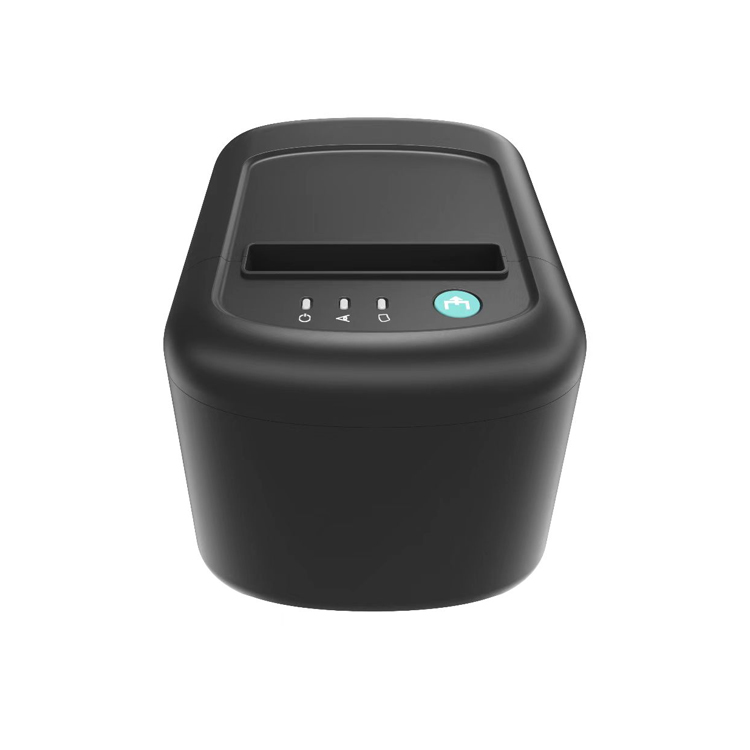
|
Printer Model |
80mm Thermal Printer |
|
Print Method |
Direct thermal line |
|
Emulation |
ESC/POS |
|
Paper width |
79.5±0.5mm |
|
Print width |
64/72mm |
|
Resolution |
203dpi |
|
Paper roll |
83mm diameter max. |
|
Print speed |
250mm/s |
|
Interface |
USB+Serial+Ethernet |
|
Data buffer |
128K bytes |
|
Cash drawer |
DC 24V 1A |
|
Print head life |
150km |
|
Auto cutter life |
1 million cuts |
|
Net Weight |
1.05KG |
|
Dimension |
185 x 130 x 130mm |
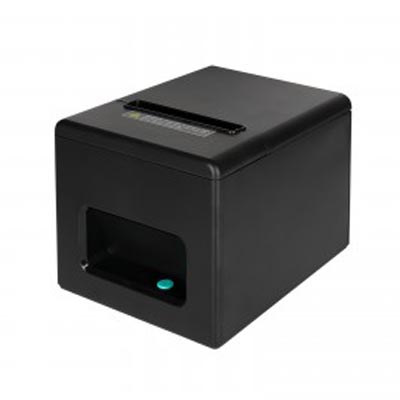
|
Printing method
|
Thermal line printing
|
|
Paper feed
|
Friction feed
|
|
Printing width
|
80mm (paper width 79.5 ±0.5mm)
|
|
Printing speed
|
200-250 mm/s
|
|
Resolution
|
576 dots/line(203DPI)
|
|
Receive buffer
|
128k bytes
|
|
NV Flash
|
256k bytes
|
|
Dimension
|
160*130*120(mm)
|
|
Weight
|
About 800g
|
|
Colour
|
All black,black&Orange (support OEM)
|
|
Print command
|
ESC/POS Command(Reference programming manual)
|
|
Loading Paper
|
Easy loading paper
|
|
Interface
|
USB, USB+Lan(Optional)
|

|
Printing method
|
Line thermal printing
|
|
Effective printing width
|
72mm
|
|
Paper Roll
|
50mm
|
|
Printer core life
|
50KM(25% print density or less than 100million puises)
|
|
Printable Content
|
English, numbers, various symbols, characters, pictures and 1D/2D barcode printing
|
|
Resolution
|
203DPI
|
|
Power supply
|
Rechargeable lithium battery DC9V
|
|
Dimension
|
105*107*55mm
|
|
Net Weight
|
400g
|

| Dimensions | 145 mm x 145 mmx 192 mm |
| Weight | 1.2kg |
| RAM | 64K |
| Flash | 4MB |
| Printer Speed | 200mm/s |
| Resolution | 203dpi |
| Point distance | 0.125mm |
| Print width | 70mm(Max 80mm) |
| Working life | >500.000 times |
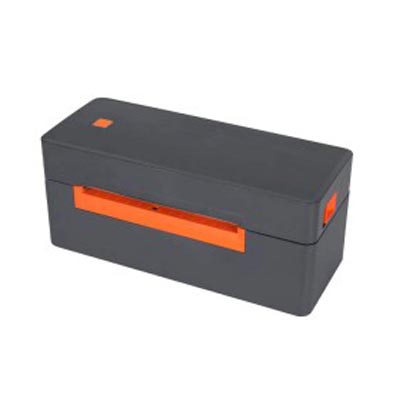
|
Printing method
|
Thermal line printer
|
| Resolution |
203DPI
|
| Printing width | 20-108mm |
| Paper width |
116mm
|
| Paper properties | Folded paper,Roll paper |
| Interface | USB/USB+Bluetooth(optional) |
| Instruction set | TSPL,EPL,ZPL,DPL |
| Paper tearing |
Hand tear
|
| Print life | 30KM |
|
Dimension
|
200*81*87mm
|
|
Weight
|
0.9KG
|

|
Print Speed
|
4 IPS (102mm/s)
|
|
Resolution
|
203dpi (8dot /mm)
|
|
Printing Width
|
104mm
|
|
Print Length
|
250mm
|
|
Power Supply
|
DC24V/2.5A
|
|
Media Type
|
Continuous Paper, Label Paper, Black Mark Paper
|
|
Media Length
|
30mm~300mm
|
|
Media Width
|
Max 120mm (4.72"), Min: 38mm (1.5")
|
|
Interface
|
USB, Blue tooth(optional)
|
|
Dimension
|
200*81*87mm
|
|
Net Weight
|
882g
|
If you have any interest or query during the selection or use of any bar code scanner, please Click the link below send your inquiry to our official mail (admin@minj.cn) directly! MINJCODE is committed to the research and development of bar code scanner technology and application equipment, our company has 14 years of industry experience in the professional fields, and has been highly recognized by the majority of customers!
Thermal printers vs. traditional ink printers:
1.Working principle:
Thermal printers: use thermal paper and a thermal head to print by heating special thermal paper to form text and images.
Conventional ink printers: use cartridges and nozzles to eject ink onto paper to form text and images.
2. Print quality:
Thermal printers: Print quality is usually slightly inferior to traditional inkjet printers, especially in terms of colour performance and print resolution.
Conventional inkjet printers: usually offer higher resolution and better colour quality.
3. Cost of use:
Thermal printers: do not require ink cartridges or ribbons and are therefore more cost effective.
Conventional ink printers: require regular replacement of ink cartridges, which is more expensive.
4. Application scenarios:
Thermal printers: for the need to print fast, low noise, low maintenance cost of the scene, such as receipt printing, label printing.
Traditional inkjet printers: suitable for print quality and colour performance requirements of high scenarios, such as photo printing, document printing.
Thermal Printer Reviews
Lubinda Akamandisa from Zambia:Good communication, ships on time and product quality is good. I recommend the supplier
Amy snow from Greece:very good supplier that is good at communication and ships on time
Pierluigi Di Sabatino from Italy:professional product seller received great service
Atul Gauswami from India:Supplier commitment she full full in a time and very good approached to customer .quality is really good .i appreciate work of team
Jijo Keplar from United Arab Emirates:Great product and a place where customer requirement is completed.
angle Nicole from United Kingdom:This is a good purchasing travel, I got what I expired. That is it. My clients give all “A” feedback, thinking I would order again in the near future.
Thermal printer solutions
Problem: 1. Poor print quality
Solution:1.Clean the print head and printer rollers to ensure that there is no dust or dirt on their surfaces.
2. If the print head or printer rollers are worn or damaged, it is recommended that they be replaced.
Problem: 2. For paper jams or other feeding problems
Solution:1.Ensure that you use paper that meets the printer's specifications and avoid using old or bent paper.
2.Clean or replace the paper feed sensor to ensure that it recognises paper properly.
Problem:3. Connection Problems
Solution:1.Check that the connection cable is securely connected, and if it is a wireless connection, make sure the signal is stable.
2.Reset the printer and connected devices; sometimes a reboot can solve connection problems.
Problem:4. Slow printing speed
Solution:1. Check the printer settings, you may need to adjust the print speed.
2.Check the printer settings, you may need to adjust the print quality or print speed.
3.Update the printer driver, make sure you are using the latest version.
Problem:5. Printing is not clear or blurred
Solution:1.Adjust the printer's print quality settings to improve print clarity.
2.If the print head or printer rollers are worn or damaged, it is recommended that they be replaced.
Problem:6. Product Operation Video
Solution:Click ‘Inquiry’ to send an email to the supplier for a demo video.
How do receipt printers work?
The china android thermal printer a device that uses thermal paper for printing. It works by using a thermal head to heat special thermal paper, and when the surface of the paper is heated, the photosensitive layer on the paper changes colour, resulting in text, images and other content. This type of printing does not require the use of ink cartridges or ribbons, making the printing process cleaner, cleaner and more cost effective. Thermal printers are usually used in areas such as receipt printing, label printing, etc. They have the advantages of fast printing speed, low noise and low maintenance costs.
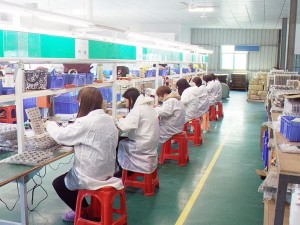
Factory advantage

Contact us
If you have any interest or query during the selection or use of any thermal printer, please Click the link below send your inquiry to our official mail (admin@minj.cn) directly! MINJCODE is committed to the research and development of bar code scanner technology and application equipment, our company has 14 years of industry experience in the professional fields, and has been highly recognized by the majority of customers!
What services do we provide?
1.Customised design for thermal printers:
We offer customised design services tailored to the specific needs of our clients. Whether it's appearance or functionality, we will design and customise according to the customer's requirements to ensure that the thermal printer fully meets the customer's needs and brand image.
2.Thermal printer manufacturing and production:
With our advanced manufacturing facilities and technical team, we efficiently carry out the manufacturing and production of thermal printers. Strict adherence to quality control standards and the latest production processes ensures that each printer achieves the highest level of quality and performance.
3.Technical Support and After-sales Service:
We provide comprehensive technical support and after-sales service to ensure that our customers get the best experience and value when using our thermal printers. A team of professional technicians provides installation, commissioning, maintenance and troubleshooting support to ensure that the printers operate properly and maintain customer satisfaction.
4.Driver Support:
We provide comprehensive driver support to facilitate easy integration and use of our thermal printers by our customers. Drivers are highly compatible and offer easy-to-use interfaces and features to provide customers with convenient printing solutions.
5.Technical Consultancy:
We provide technical consulting services to help customers better understand and use our thermal printers. A team of professionals share industry knowledge, best practices and operating tips to help customers realise the full potential of their thermal printers and answer questions during use.
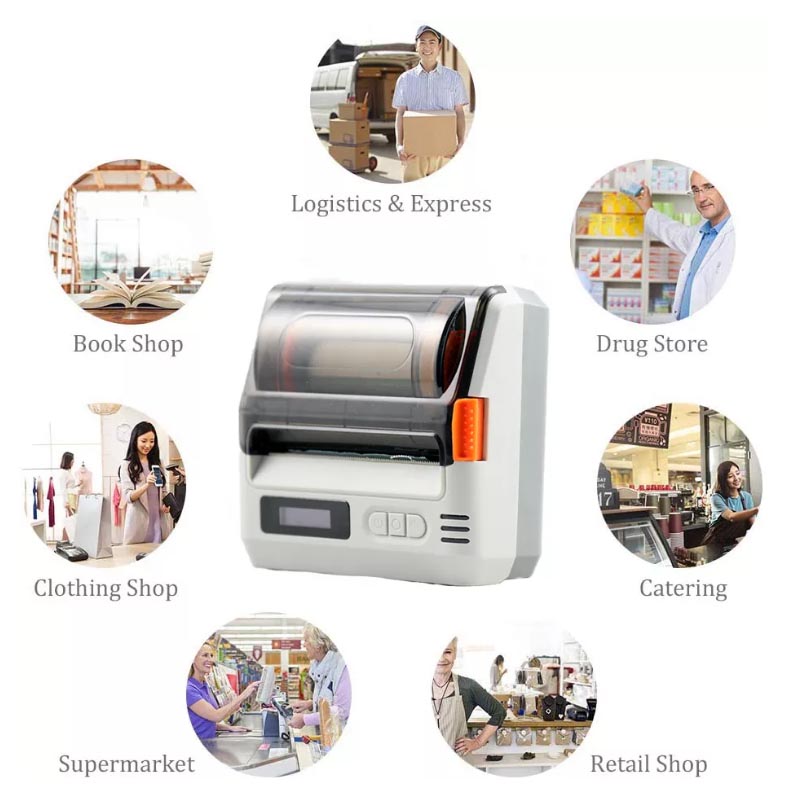
Thermal Receipt Printers for Every Industry
MINJCODE offers a range of reliable, high-performance thermal receipt printers for retailers, restaurants, stadiums and parks, among others. These printers include a variety of modern connectivity options, including USB, RS232, LAN, Wi-Fi/wireless and more.
The Connectivity You Need
These days, nothing is more important than connectivity. Simply put, you need your thermal printer to seamlessly integrate with the rest of your POS. MINJCODE POS thermal preceipt printers feature the modern connectivity options you need, including USB, LAN, WiFi/wireless, Bluetooth, etc.
A Variety Of Printer Types
MINJCODE is proud to offer more than just receipt printer machine. We also offer a full portfolio of printers for retailers, restaurants, and more, including online ordering printers, and wireless thermal receipt printers. And in addition to receipts, MINJCODE printers can also print labels, tickets, kitchen orders, etc.
Equipped With A Full Range Of Accessories
The MINJCODE offers a wide variety of accessories that are compatible with our printers, including cash drawers, barcode scanners, pos manchine, and more.
OEM&ODM Service
We OEM thermal receipt printer manufacturers are able to make one-stop customized services according to the needs of our customers.
1.Requirement collecting
a.Customer give the draft ideas about the product design.
b.Professional, passionate sales team offer the best barcode scanner,thermal printer services for you.
2.Egineer drawing
MINJCODE engineer drew the design and confirmed with the customer. If adjustments needed, our engineer will change and reconfirm it.
MINJCODE adheres to technological innovation. We by spending 10% of turnover each year on R&D and a rich experienced technical team.
3.Motherboard design and manufacture
After the drawing confirmed, we start make the sample.
4.Whole machine test
After sample finished, MINJCODE will test it and then send to customer for checking and test.
5.Packing
Customer do the whole test and confirm the sample. Then make mass production.
Modern industrial production, strong production capacity, stable supply of goods, 500000 Unit/Units per month.
By producing high-reliability quality barcode scanner,thermal printers with competitive prices, we are now serving over 197 countries and regions worldwide.

Have a Special Requirement?
Have a Special Requirement?
Generally, we have common thermal receipt printer products and raw materials in stock. For your special demand, we offer you our customization service. We accept OEM/ODM. We could print your Logo or brand name on thermal printer body and color boxes. For an accurate quotation, you need to tell us the following information:
Why Choose Us As Your Thermal Receipt Printer Supplier In China
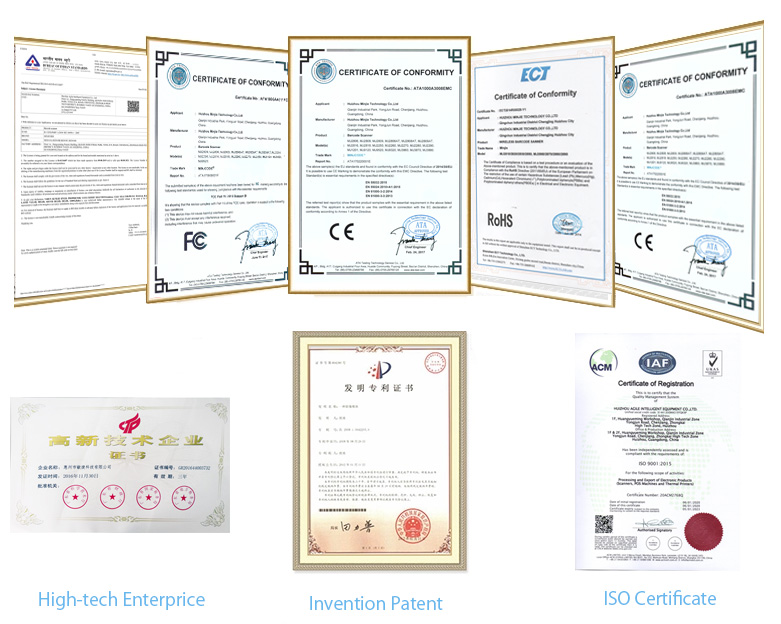
Huizhou Minjie Technology Co., Ltd is the Professional thermal printer & pos machine hardware manufacturer in china, with ISO9001:2015 approval. And our products mostly got CE, ROHS, FCC, BIS, REACH, FDA, and IP54 certificates.
Q & A
Direct thermal printers are popular for printing receipts because they do not require ink cartridges for printing. This makes them cost effective for high-volume printing tasks like receipts in shops and restaurants.
Most thermal receipt printers are direct thermal receipt printers and only print in grayscale on heat-sensitive paper. Their color options are limited because they quickly print images on heat-sensitive paper.
Another type of thermal printer—the thermal transfer printer—can print in color. There are various types of thermal transfer printers that can print different numbers of colors, usually by depositing colored resins or waxes to different types of paper or fabric. Thermal transfer printers tend to be used for special tasks like printing on fabric or plastic films. They are typically too expensive to operate for it to make sense to use thermal transfer printers to print receipts.
No matter what type of receipt printer you choose, you’ll need to consider connectivity. Here are the different types of connectivity options for POS receipt printers, with pros and cons for each.
Serial - Slower and more outdated, but an easy, inexpensive, classic option
Parallel - Can be slow, but is easy to connect to a circuit board and works well over short distances
USB - A modern, more expensive system, but more flexible and universally available
Ethernet - Capable of carrying signal long distances, but it is the most expensive option
Wireless - Enables mobile usage and doesn’t need wires, but you’ll need to think about network security
Bluetooth - Draws less power and cuts clutter, but has a short signal range and can be expensive
To understand how a thermal printer works, you first need to understand there are two types of thermal printing methods: thermal transfer printing and direct thermal printing.
Turn off the printer and open the printer cover. Clean the thermal elements of the thermal head with a cotton swab moistened with an alcohol solvent (ethanol or IPA).
Delivery terms can be EXW, FOB,FCA or CIF.
We only provide the hardware
5 ‰
T/T, Western Union, L/C,etc.
Yes, it can download in our web
Receipt printers are an indispensable tool for businesses of all sizes, ranging from retail shops and restaurants to hotels and service providers. They streamline the sales process, improve customer service, and provide tangible proof of purchase. In addition, modern receipt printers are often integrated with POS software, enabling automated receipt printing, customization options , and real-time data synchronization .
Yes, Bluetooth printers are highly recommended and are suitable for most small businesses. They are particularly beneficial for companies with mobile employees, as they enable printing from any location within the printer's proximity. The MINJCODE Bluetooth thermal printer is compact enough for desktop use and can wirelessly print from Android or iOS devices.
Yes, thermal printers need to use thermal paper that is coated with a specific material. When the printer applies heat to the paper, it creates images or text. It is not possible to use regular paper in a thermal printer as it does not have the required coating to respond to the printer's heat.